
Invite a user
- Open Settings → Users.
- Click Add user.
- Enter their name, email, and role, then click Create user.
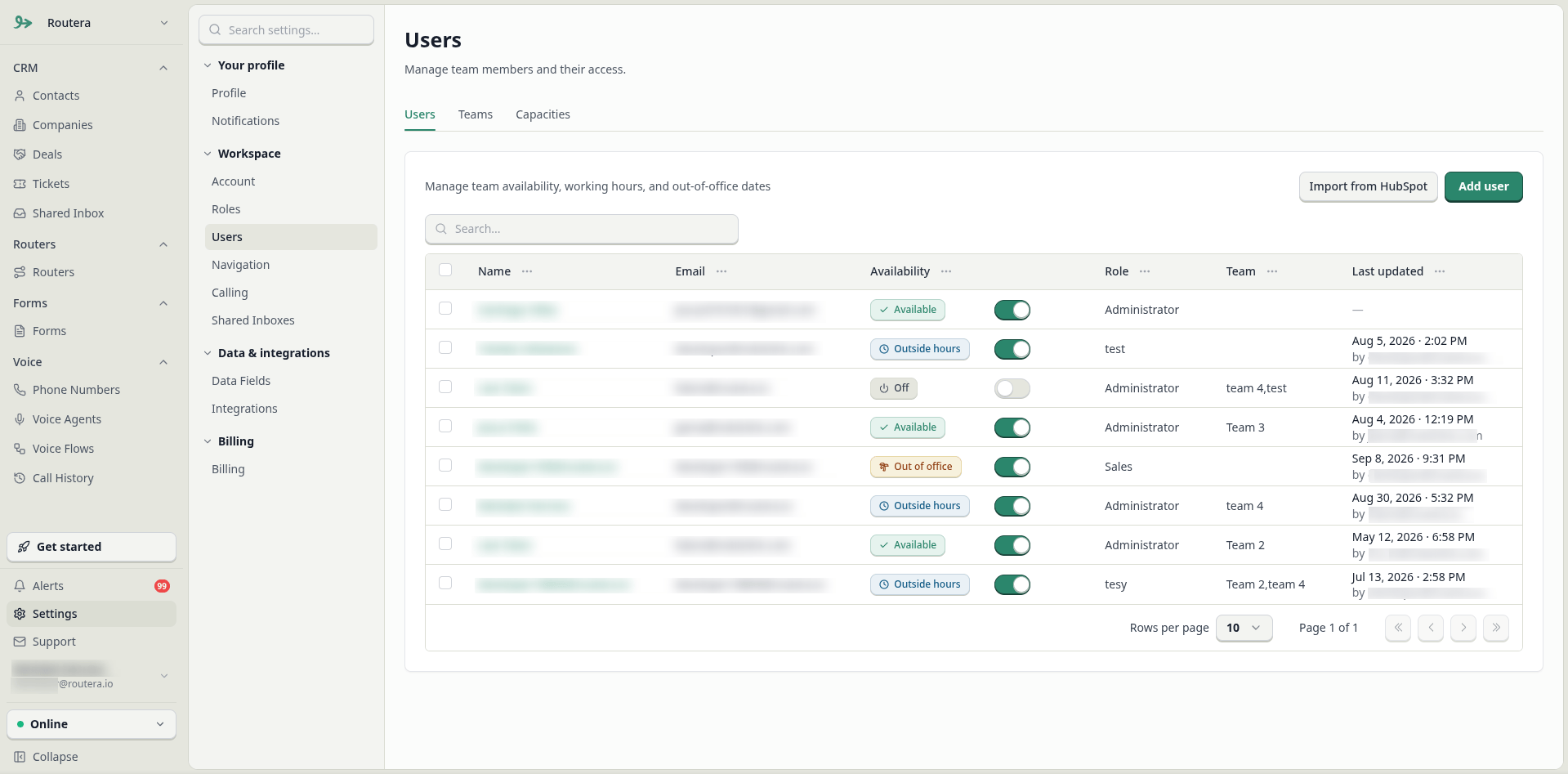
Every workspace includes Administrator and User by default. Administrator can manage settings and setup; User has access scoped to their profile and assigned work.
Custom roles (optional)
For more granular access than Administrator or User, create a custom role in Settings → Roles, then select it in the Role dropdown when you invite someone. You can change a user’s role later from Settings → Users.Import users from HubSpot
If HubSpot is connected, you can add HubSpot owners as workspace users in bulk.- Open Settings → Users.
- Click Import from HubSpot.
- In Import users from HubSpot, choose the Role to apply to imported users.
- Select the HubSpot users (owners) to add.
- Confirm the import. Seat limits apply—if you exceed remaining seats, upgrade or reduce the selection.
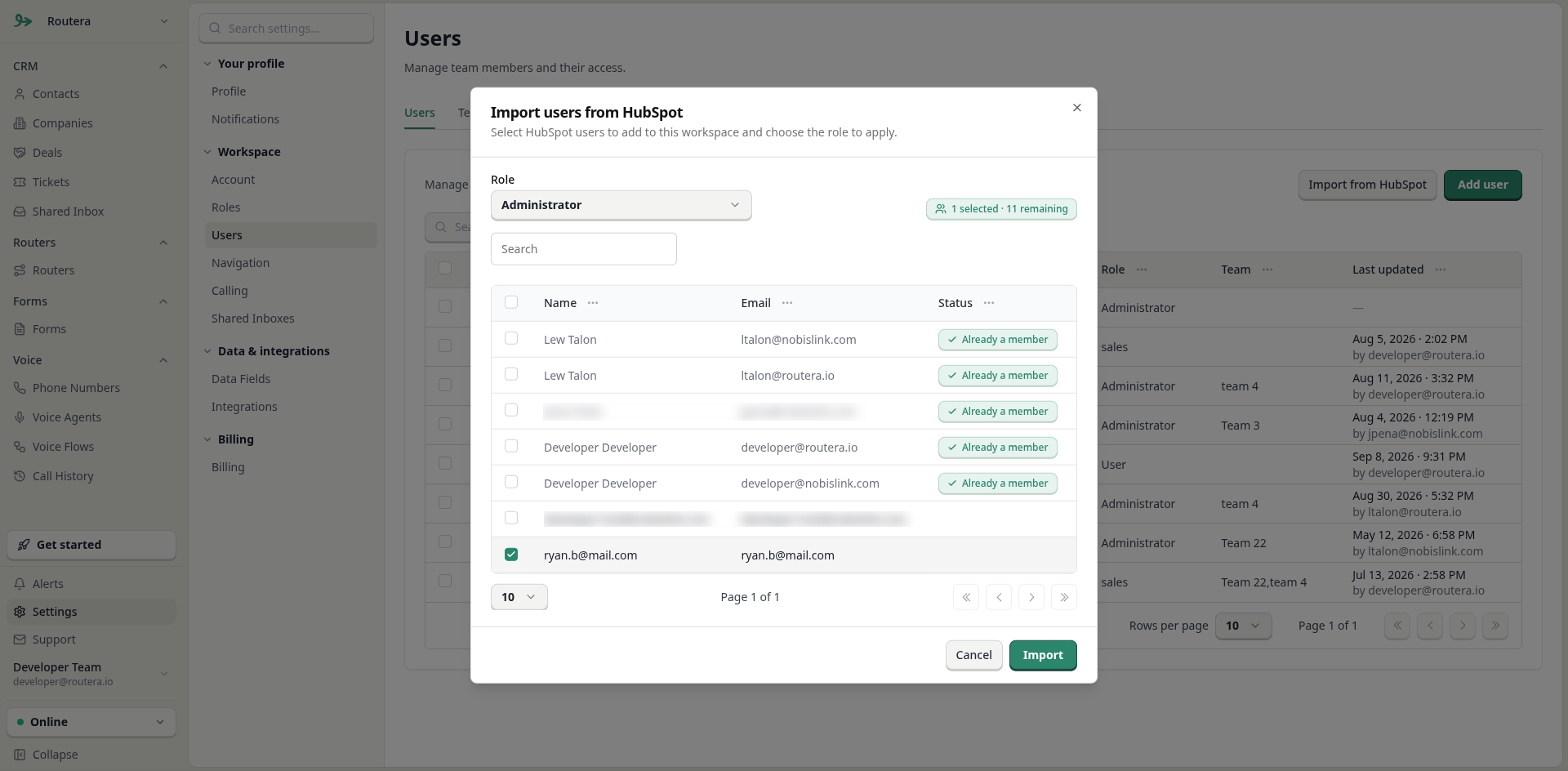
HubSpot must already be connected under Settings → Integrations. Routera matches and lists HubSpot owners so you can add them with the role you choose.